Kantoor
For freelancers and one-person businesses in the Netherlands

Stop renting. Own your bookkeeping.

Invoices, receipts, VAT, stock, webshop and an AI assistant - in one app that runs on your own computer. Pay once, done - no subscription needed. And your books stay on your own computer.

€99 once incl. VAT and 1 year of updates

Live in your browser, nothing to installWork out what you save

Or try it free for 14 days on Windows first
  • Runs on your own PC or server
  • Dutch VAT boxes 1a-5g
  • Local OCR and AI
  • NL, EN and PL
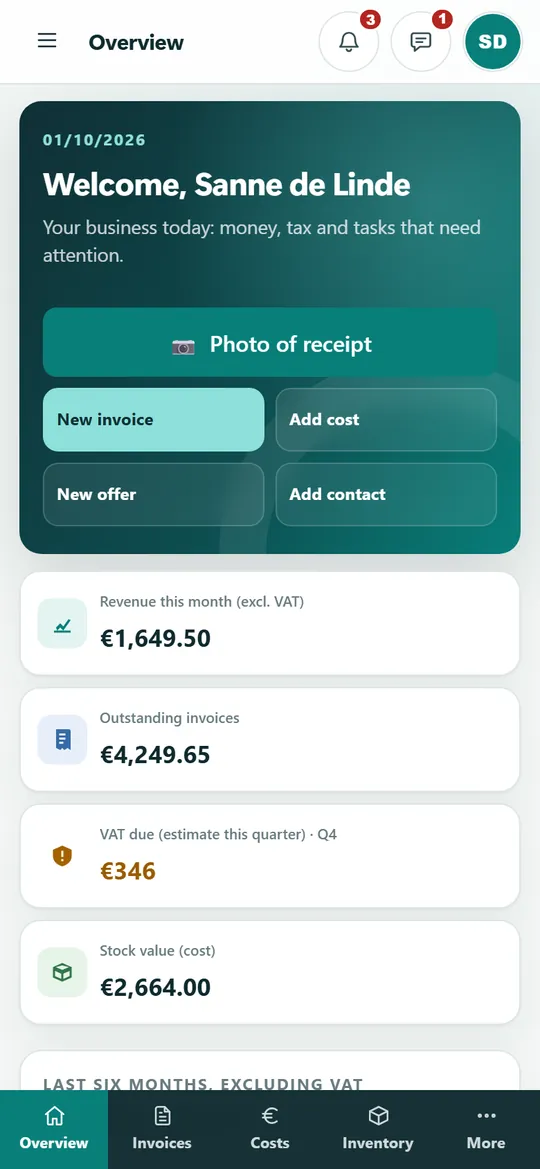
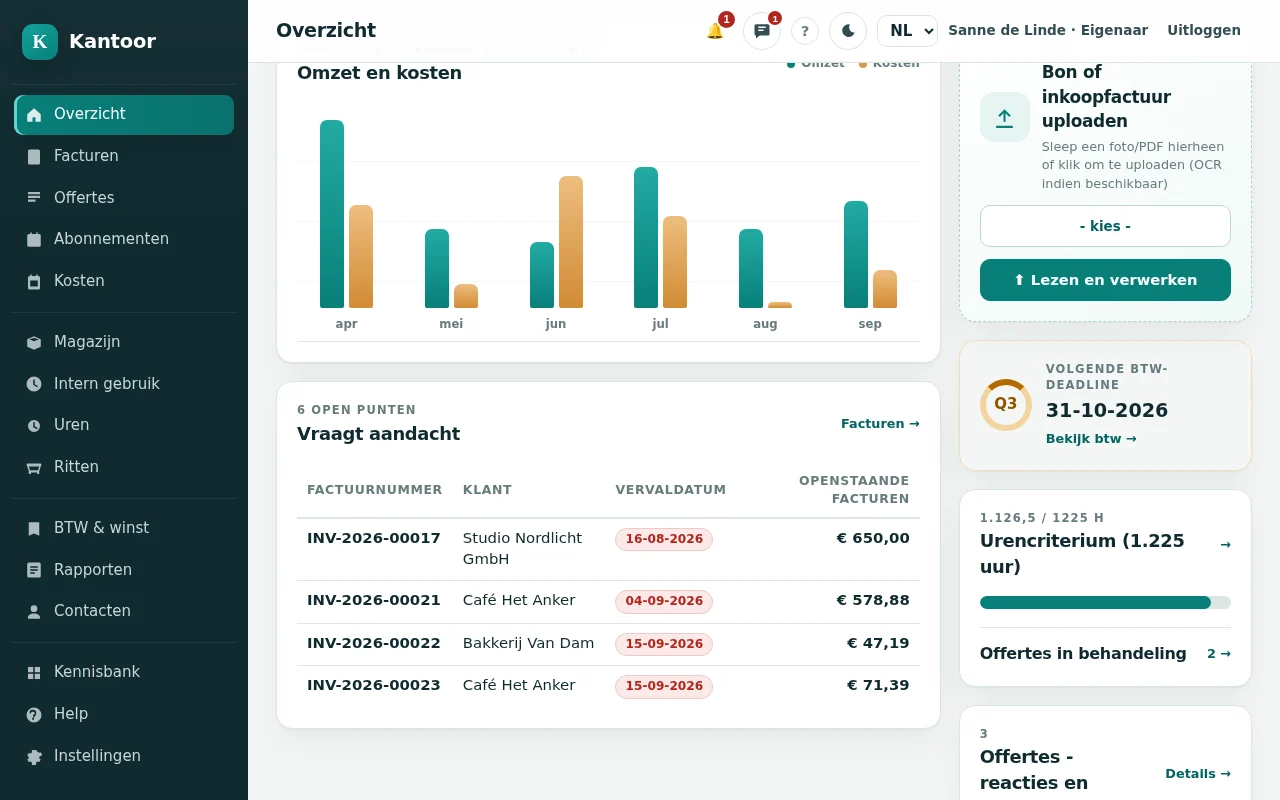
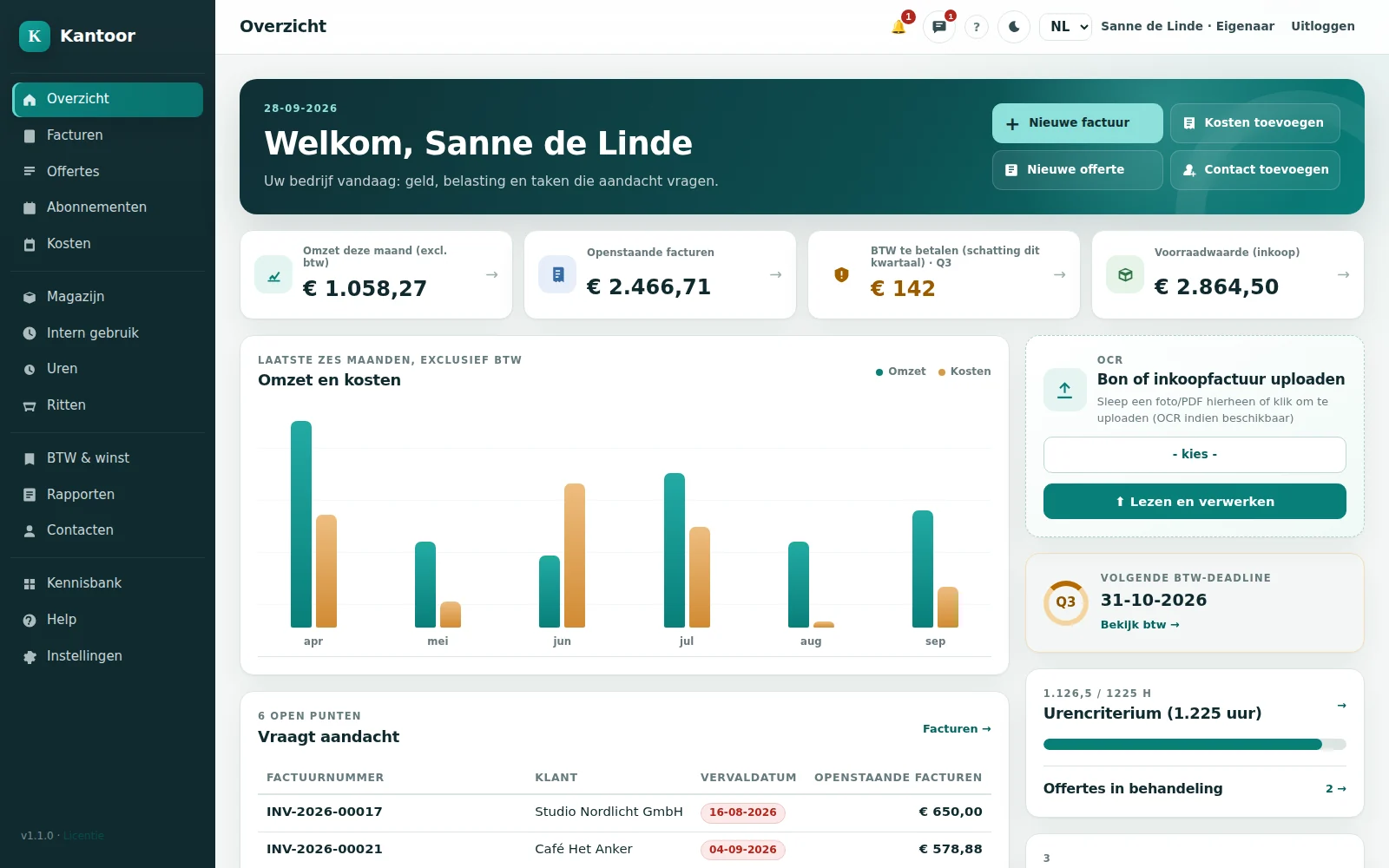
Kantoor - Overview
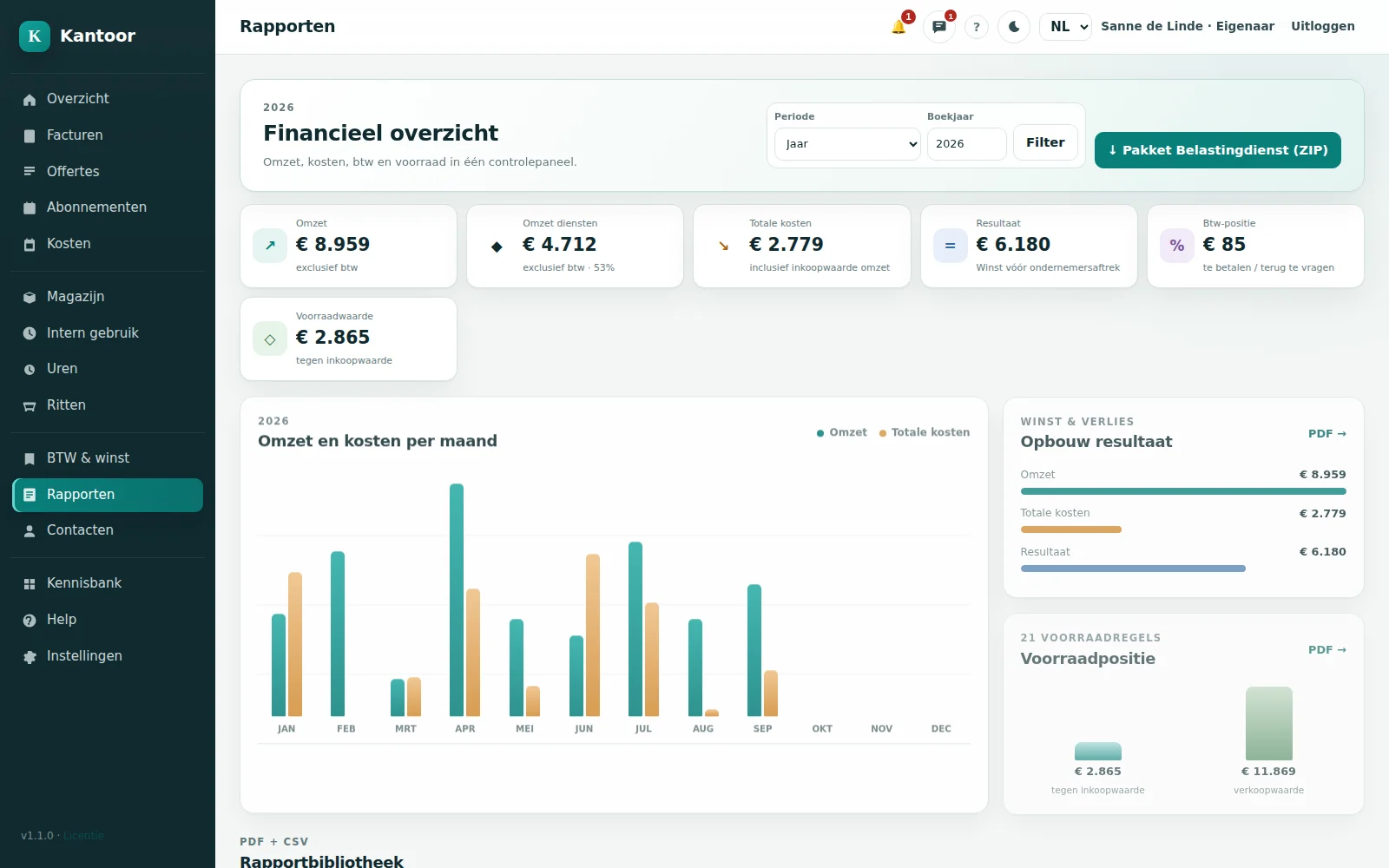
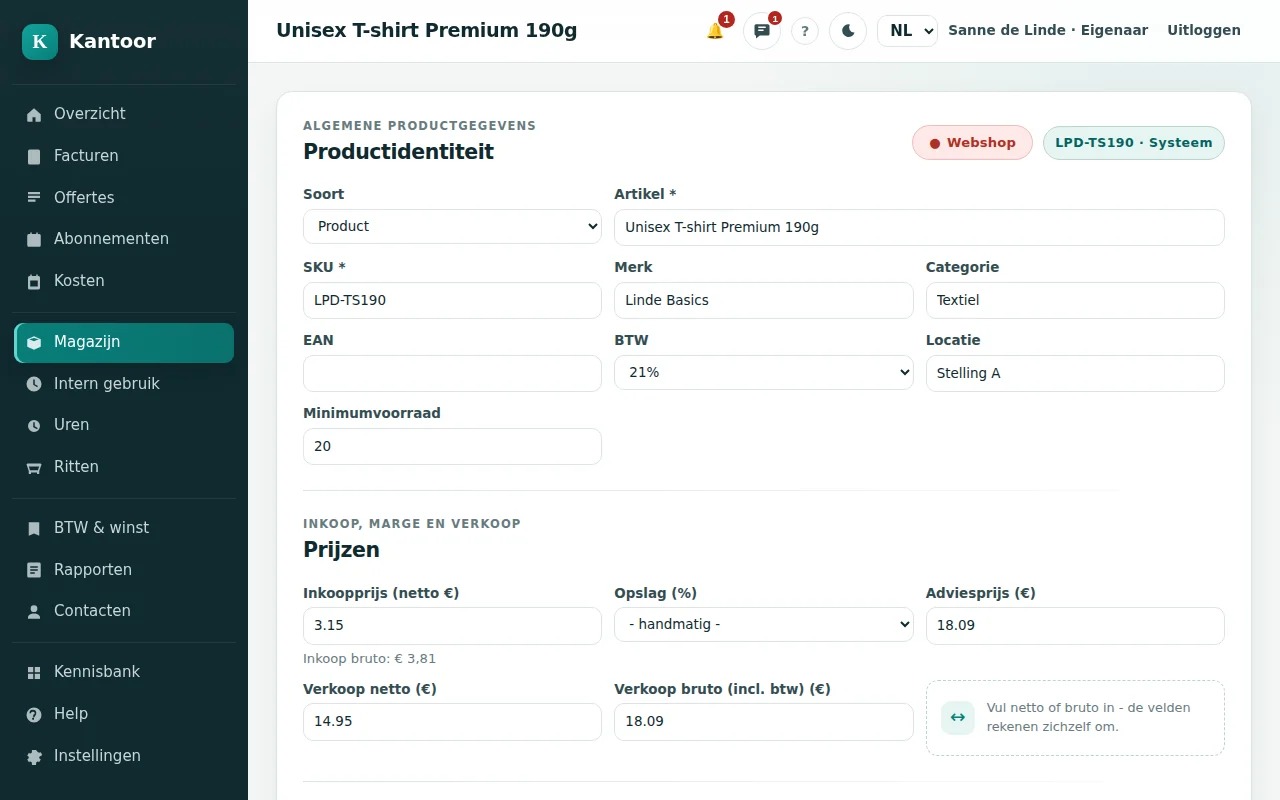
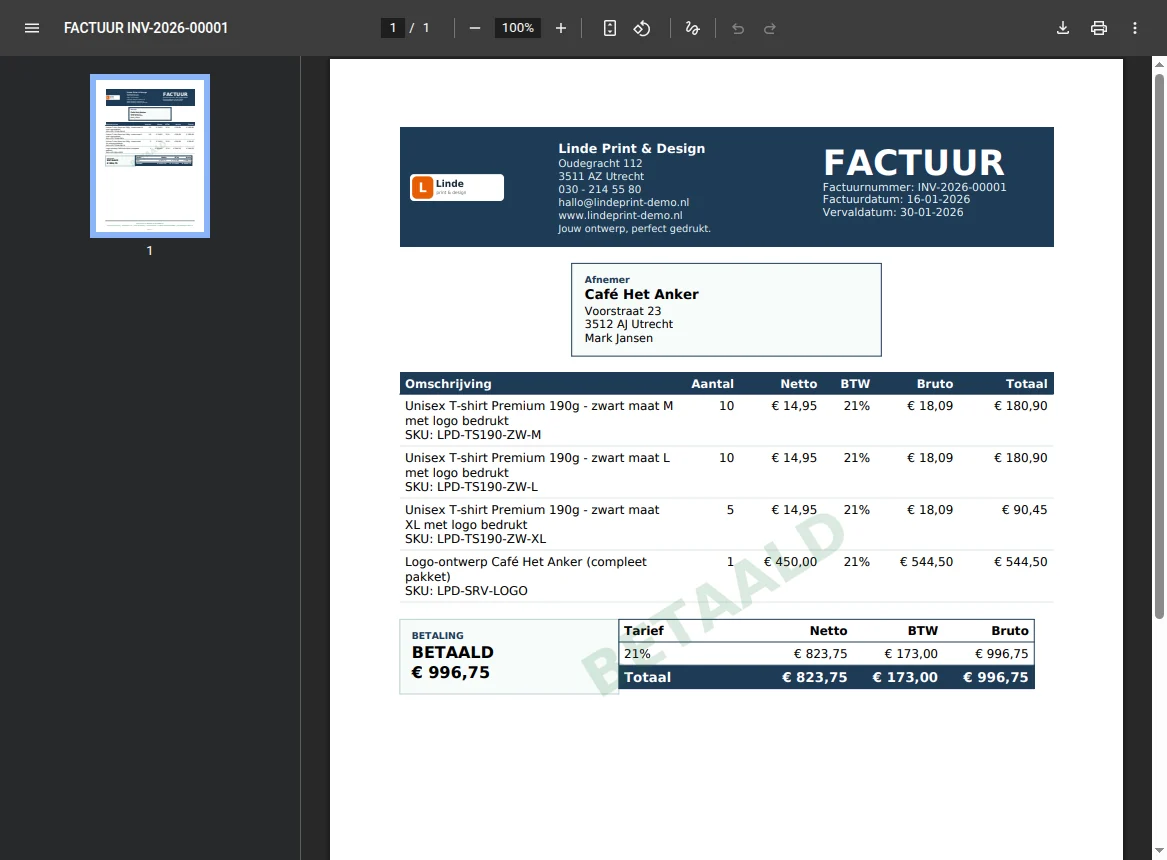
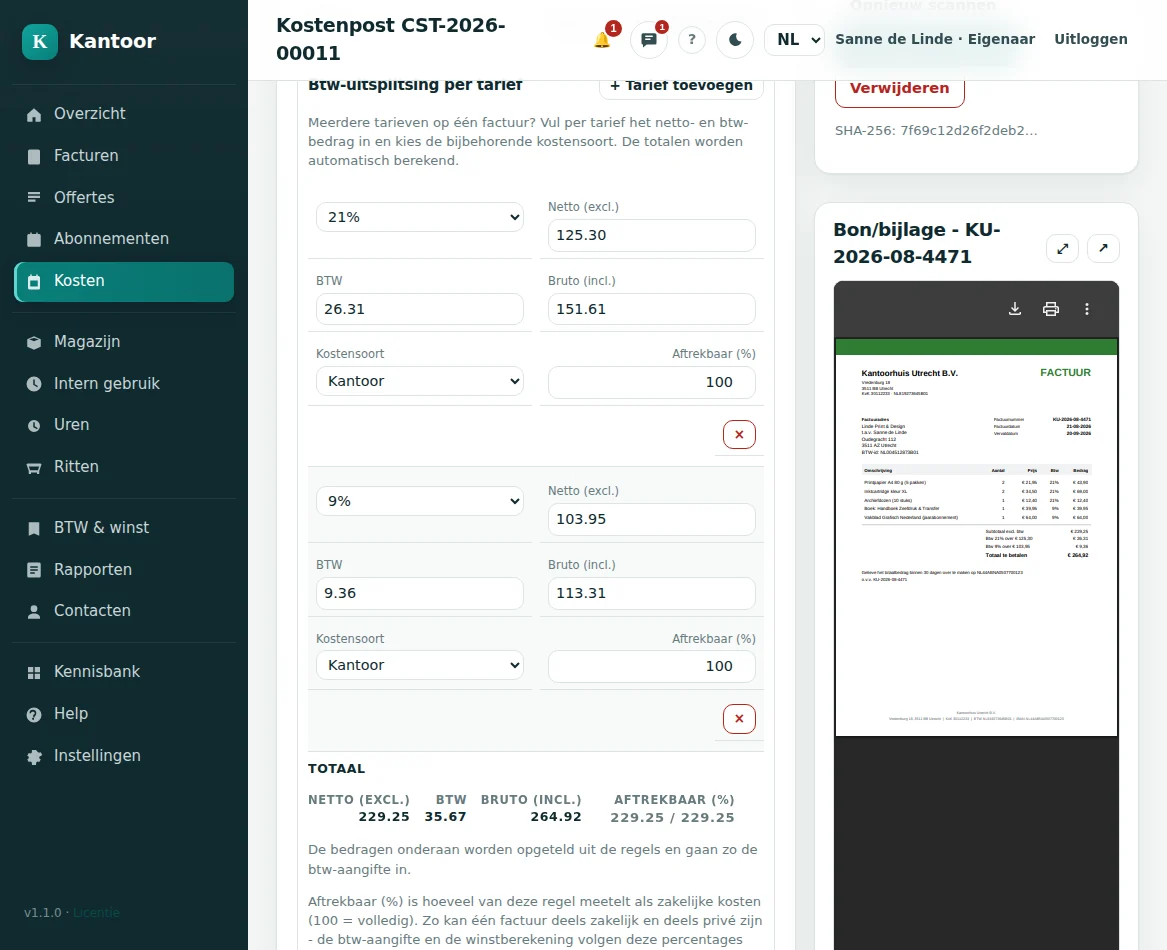
Overview - Kantoor Stock - Kantoor Invoice - Kantoor Scan receipt - Kantoor Ask AI - Kantoor VAT - Kantoor
6core modules in one app
50+features, no paid add-ons
3languages: NL, EN and PL
0mandatory subscriptions
Entrepreneur holding a mug that says Like a boss
Less admin. More business.
You are the boss

You started a business to do business. Not to retype receipts.

A one-person business means you do everything. Quotes, purchasing, shipping, VAT. Kantoor takes over the boring part, so you get your evenings back.

  • Processing receipts Retyping into Excel Snap a photo, OCR fills it in 90 min
  • Creating invoices Copying a Word template Two clicks, PDF + e-invoice 60 min
  • Webshop orders Invoicing by hand Arrive by themselves 90 min
  • Keeping stock Counting and updating Updates automatically 60 min
  • VAT return Hunting for everything Wizard fills the boxes 120 min
Per month 7.0 h

Indicative example for a one-person business with about 40 receipts and 25 webshop orders a month.

New in Kantoor

See what Kantoor does for you today.

Nine things that make the difference. Every screen comes from the real app - in your language.

See all features

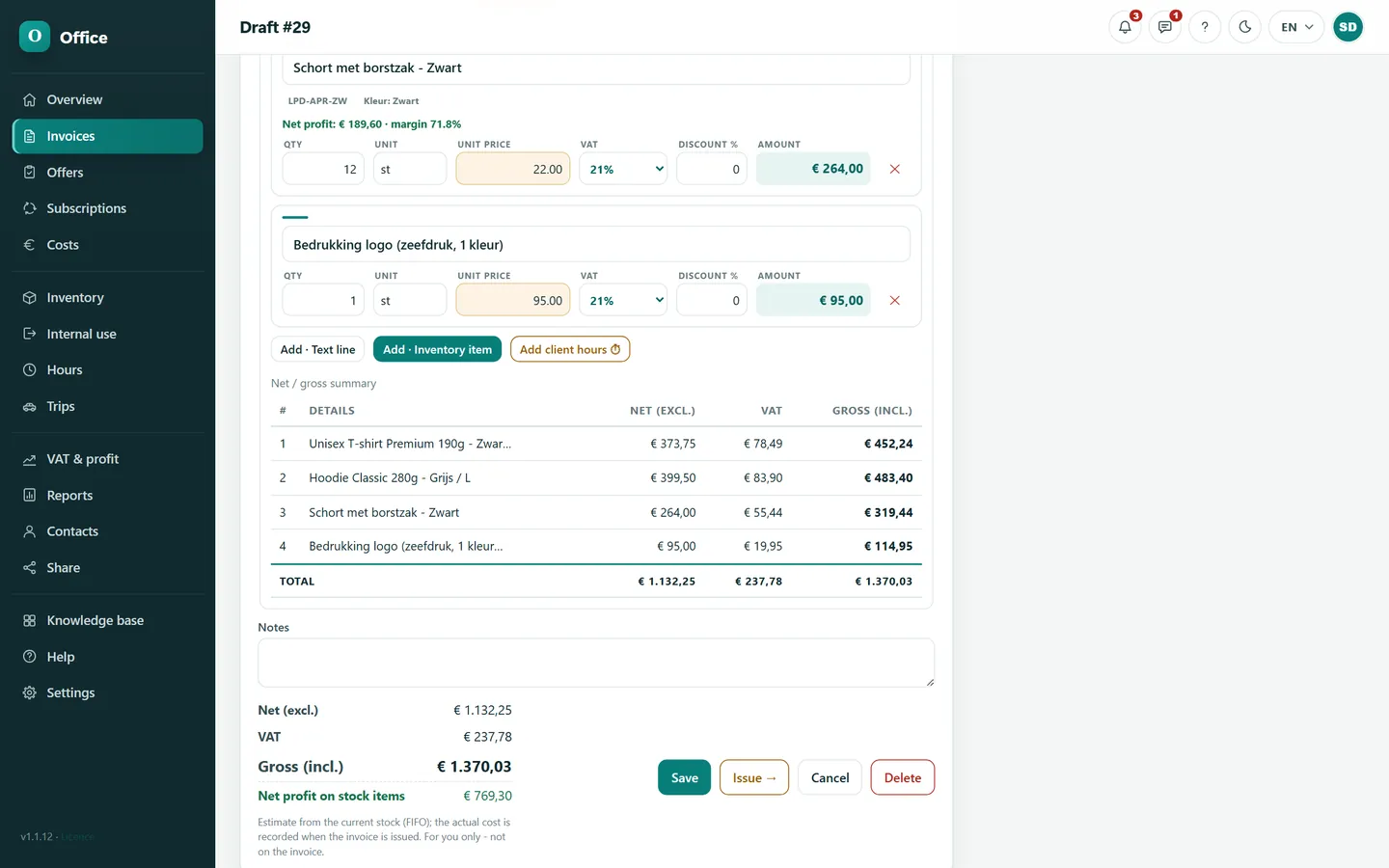
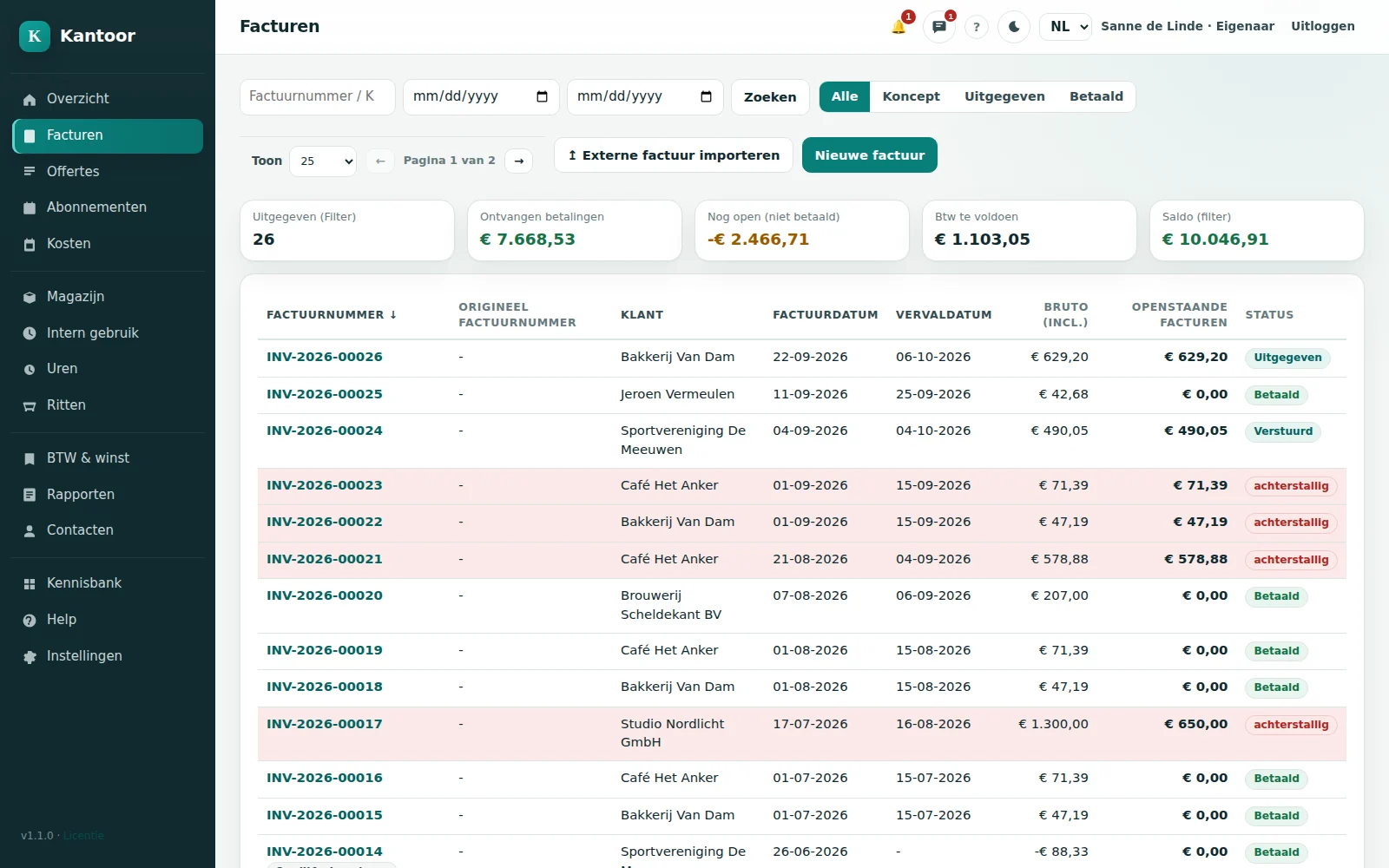
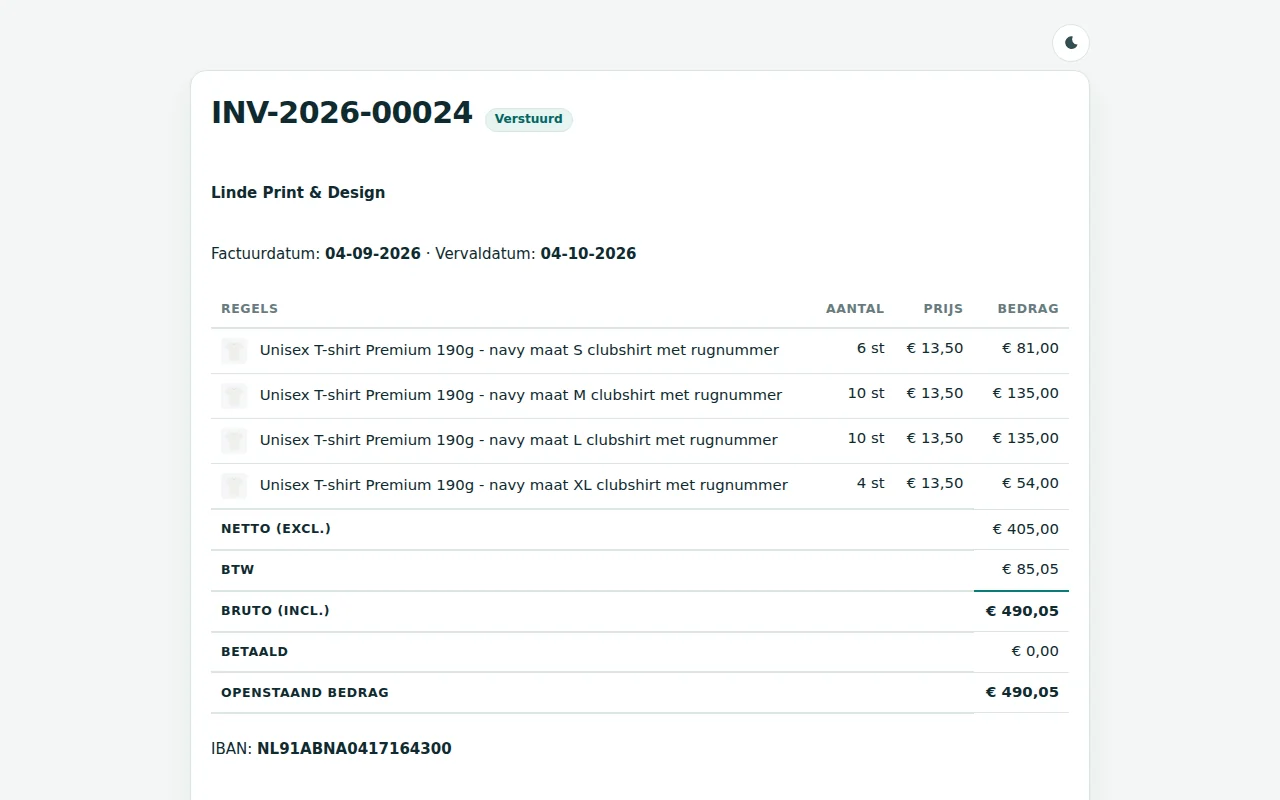
Invoice editor with live totals

Net, VAT and gross update as you type.

Numbering without gaps

Invoices, quotes and costs each get their own series.

PDF + UBL + ZIP

A human-readable PDF and a structured e-invoice, downloadable together.

Credit notes and reminders

They reference the original invoice, in the same series.

Pay online

Customers pay open invoices by iDEAL or card (Mollie).

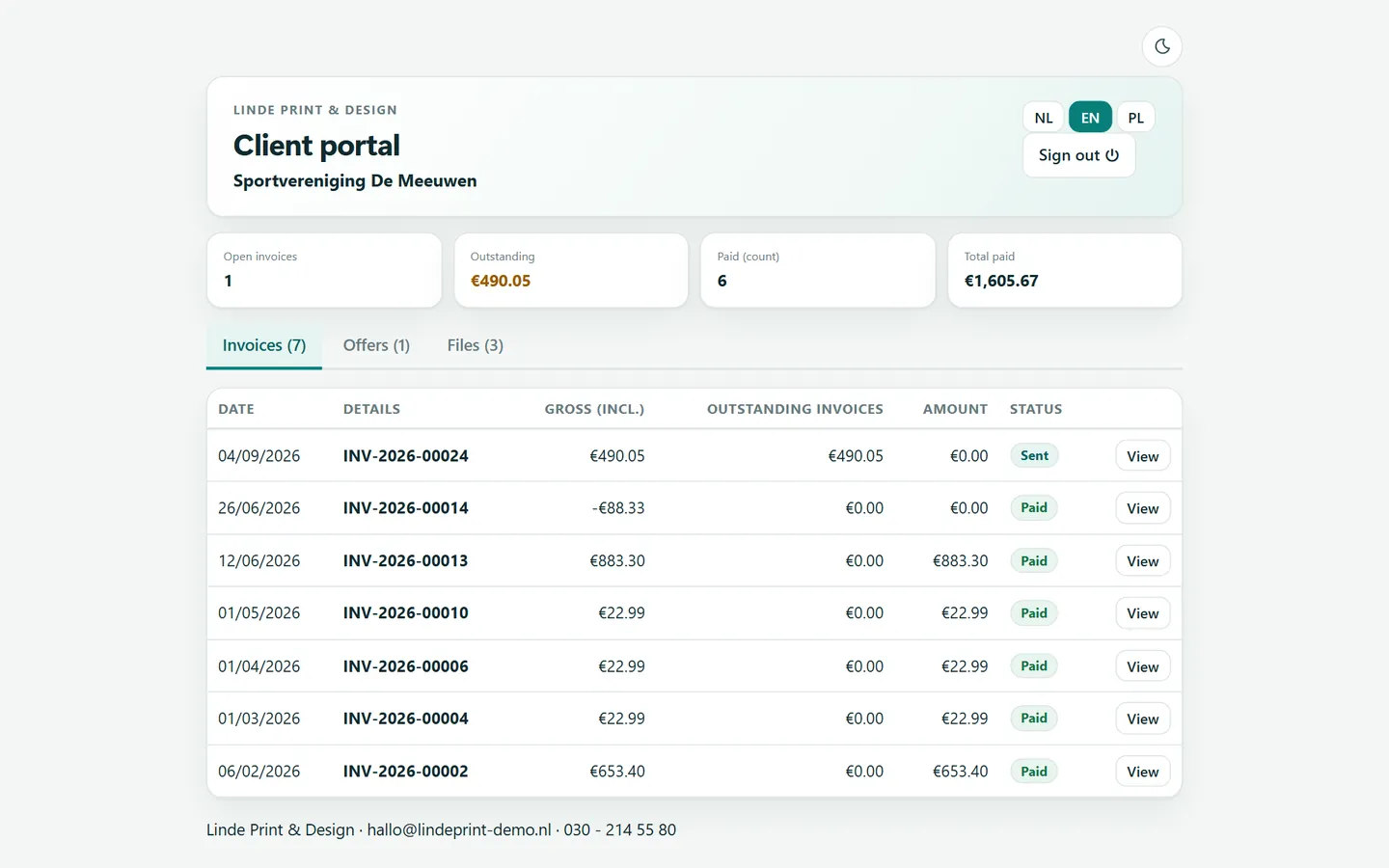
Customer portal

View, accept and pay without an account.

Four invoice designs

Classic, compact, modern or with a photo - with your own logo and colour.

Delivery address on invoices and quotes

Several addresses per customer; the right one lands on the PDF by itself.

Net profit per sale

Profit and margin of your stock items - visible only to you.

Invoices - Kantoor
Live demo

Go ahead, click everything. You can't break it.

A real Kantoor with a made-up company: invoices, receipts, VAT return, stock and subcontractors. Try anything - every night we put it all back in order.

  1. 1Open the demo page
  2. 2Type the digits (to stop robots)
  3. 3Log in and click around

Free - no account - nothing to install

The demo is cleaned up periodically. Want to keep something? Use your own installation.

demo · Kantoor
I'm the demo man. Go wild - I'll tidy up tonight!
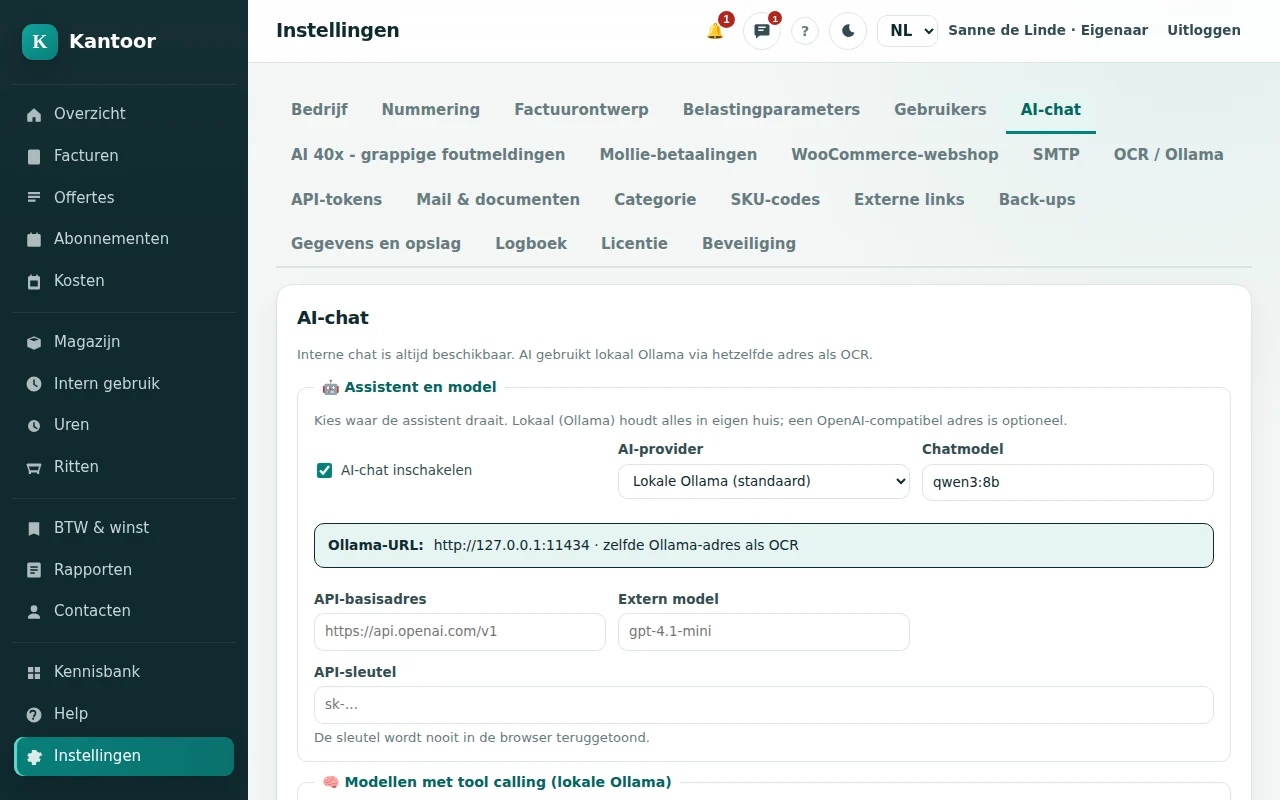
AI assistant in the app

Just ask.

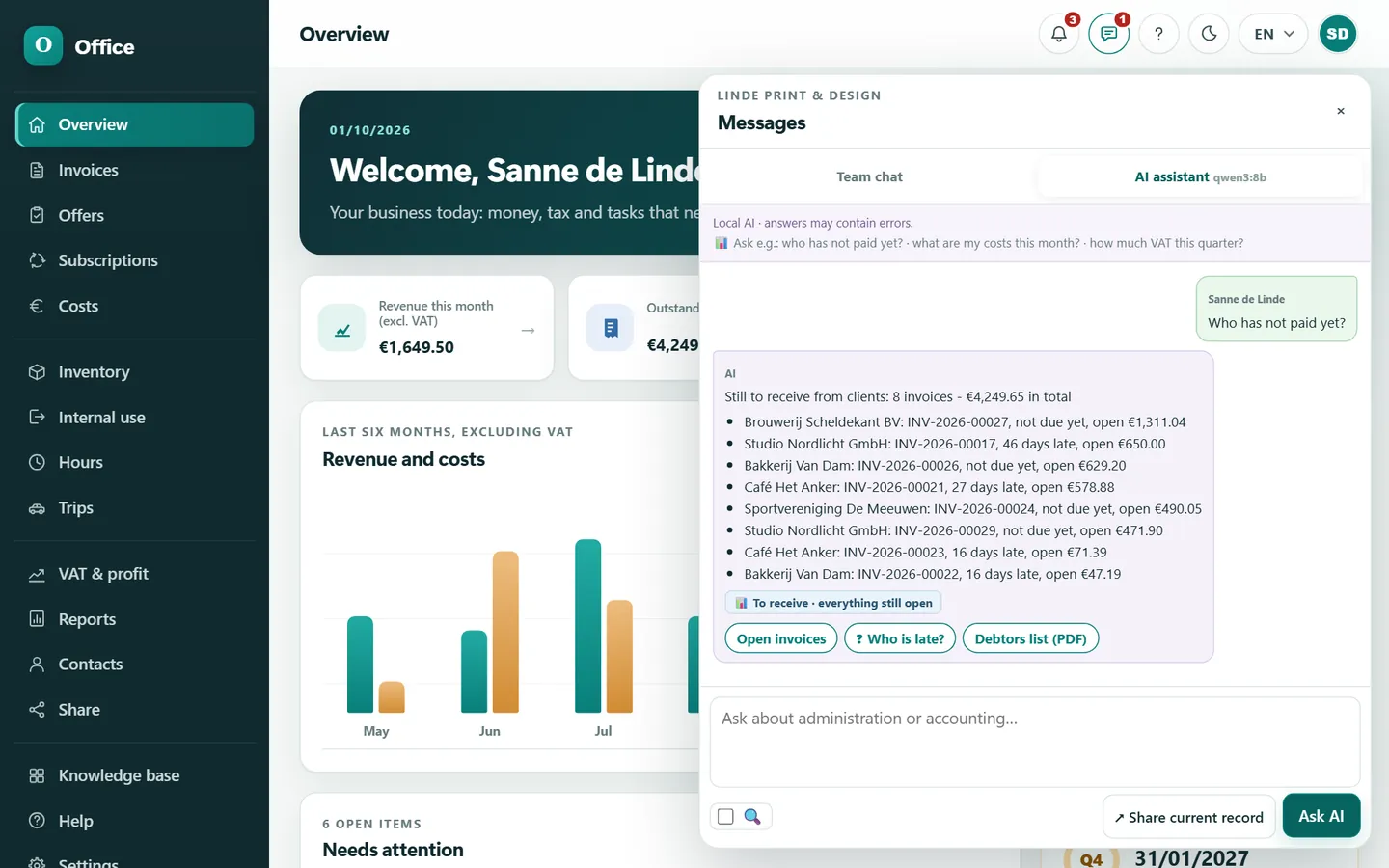
Type your question the way you would ask a colleague: who hasn't paid yet, what did I earn, what are my costs. The assistant looks it up in your own books, answers with your own figures and gives you buttons for the next step. Need to check something with the Belastingdienst? Tick internet - otherwise everything stays local.

  • Fully localThe model runs on your own server or PC (Ollama). Your figures never leave your network.
  • Internet only when you tick itSearches official sources, links included. Personal data is stripped from your question first.
  • Direct chat with your teamChat with your partner, employee or accountant and share an invoice or quote in the conversation with one click.
  • Share a record with the AIAttach an invoice or quote as context and ask what you want to know.
Kantoor AIOllama - local

Pick a question above...

Try a question:

Sample conversation with fictional figures

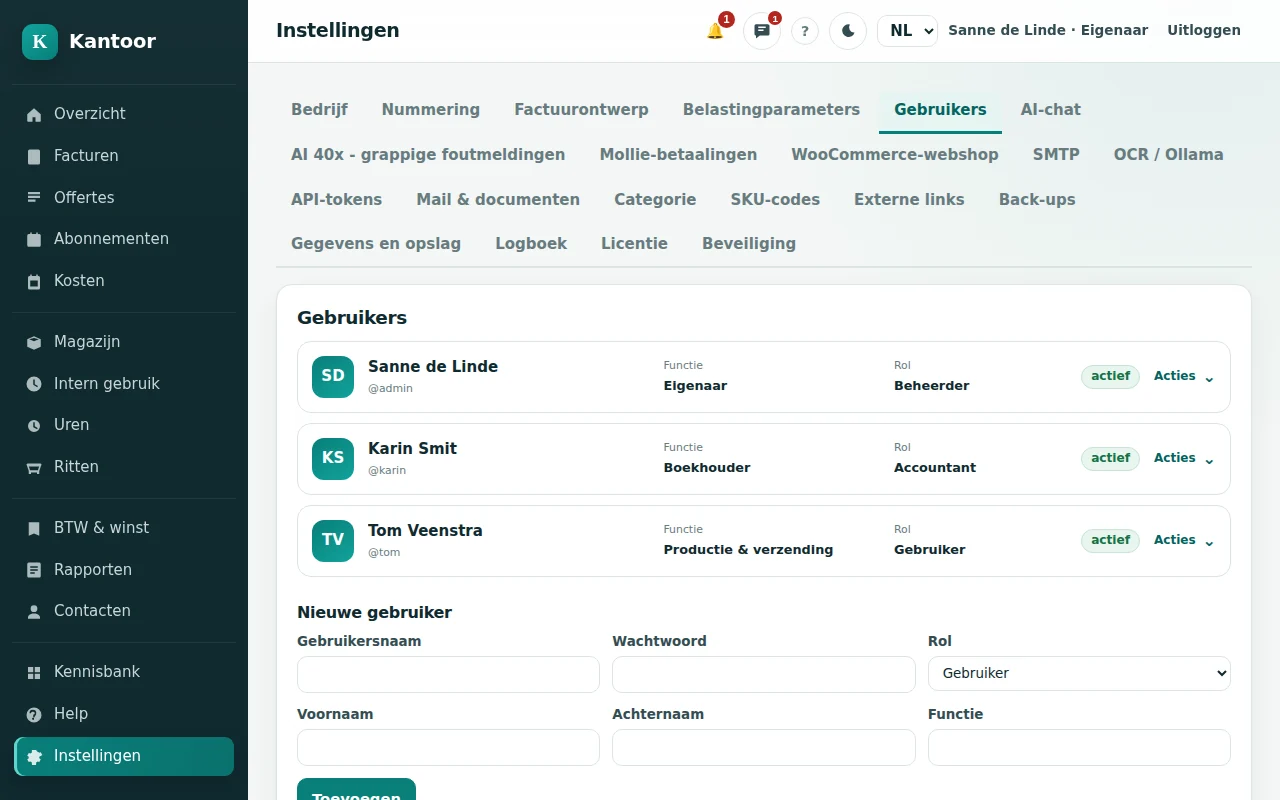
  • Plain words, no jargonMenus are named after what they do. You do not need to be an accountant.
  • Smart defaultsVAT rate, payment term, numbering and language are already set.
  • Help in one clickExplanations per topic, step by step, in NL, EN or PL.
  • Tax knowledge baseVAT rates, KOR, the hours criterion, record keeping and reverse charge - with links to the Belastingdienst.
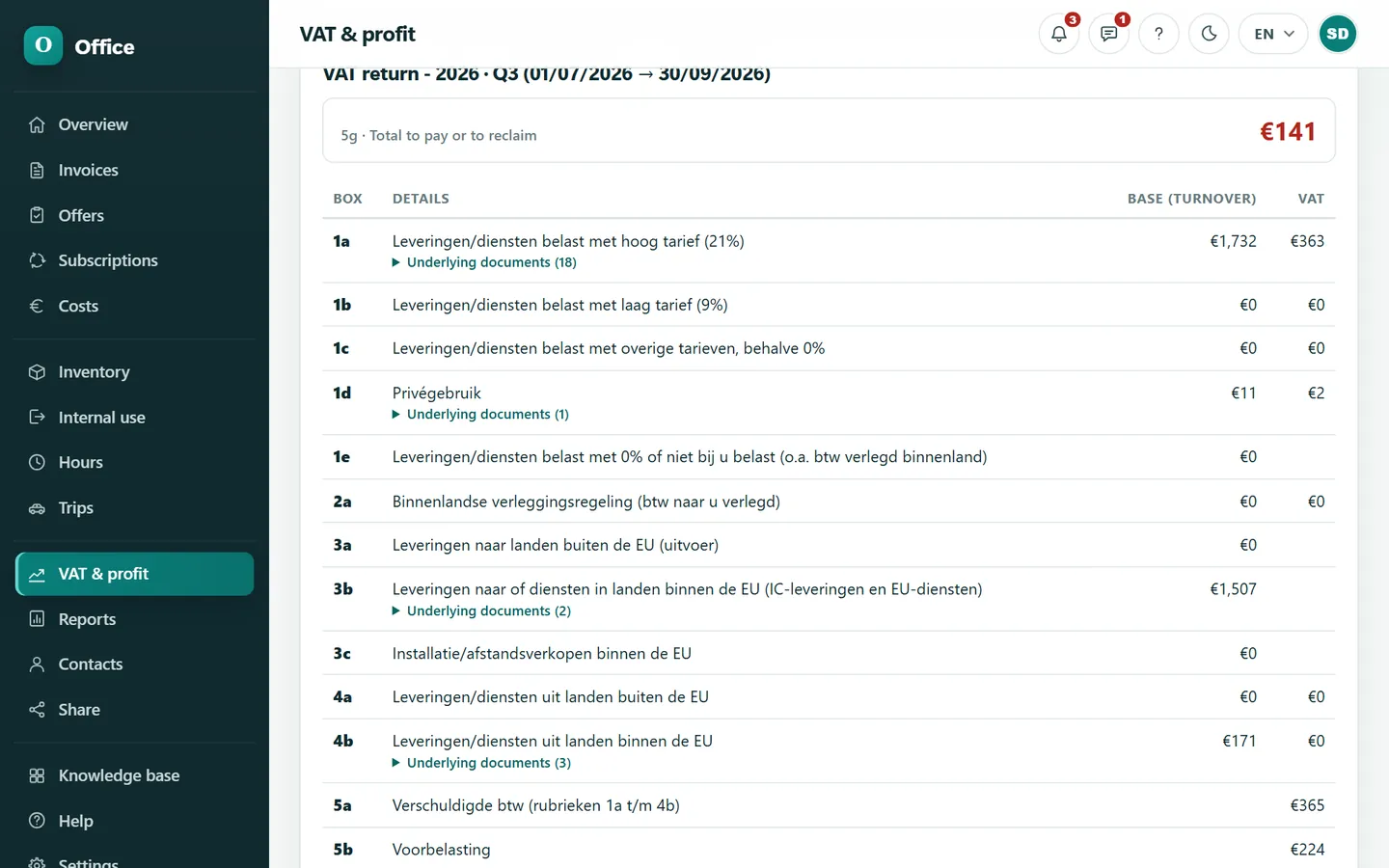
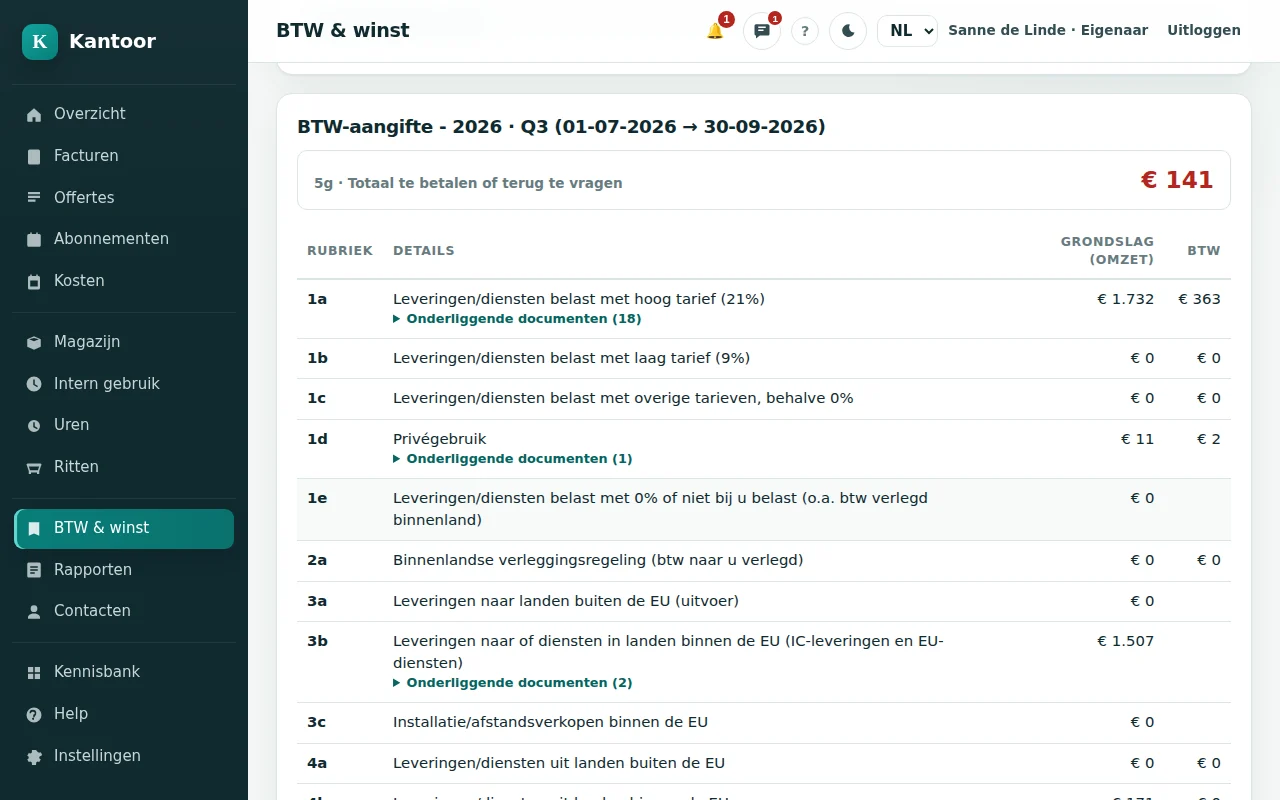
  • VAT wizardPick the quarter, check boxes 1a-5g, export and lock. You see exactly which amount goes where.
  • AI when you are stuckAsk in plain words. The answer comes from your own figures.
Receipt scanning with OCR

Photo in. Booking out.

Take a photo of your receipt or drop in the PDF. Kantoor reads supplier, date, amounts and VAT by itself - locally, on your own machine. You check and click save.

  • OCR runs locally - your receipts never go to the cloud
  • Suggests the supplier based on earlier receipts
  • Attachment kept with a hash for 7 years (retention duty)
  • EU purchases and reverse charge in the right box
Done - check and save
Supplier
Bouwmarkt Lith
Date
12-09-2026
Total incl. VAT
€ 42.35
VAT 21%
€ 7.35
Category
Materials
Fancy a break?

Receipt rush: how many can you save?

20 seconds. Tap every receipt before it lands in the shoebox. The space bar works too.

Time20 Processed0 Total0 Shoebox0

WooCommerce integration

Your webshop sells. Kantoor does the rest.

A dedicated plugin connects your WooCommerce store. Every order becomes a draft invoice, stock follows along and your customer downloads the invoice in My account.

  1. Order #1042 Customer checks out in your shop
  2. Draft invoice Appears in Kantoor right away
  3. Stock -1 T-shirt blue, size M
  4. INV-2026-00042 You check and issue it
  5. PDF for the customer In My account and by e-mail
W/1

Orders become draft invoices

As soon as an order reaches 'processing' or 'completed' it goes to Kantoor. You review it and issue the invoice - with a gapless fiscal number.

W/2

Stock stays correct

Kantoor is the single stock writer. The plugin turns off WooCommerce stock reduction so the numbers can never race.

W/3

Invoice PDF in the customer account

After issuing, 'Download invoice' appears on the order and in My Account; optionally as an e-mail attachment.

W/4

Never lose an order

Failed pushes are retried every 5 minutes. A shop behind a firewall works too - Kantoor can pull the orders.

W/5

Product photos from Kantoor

Manage your article images in Kantoor and push them to the shop in one go.

W/6

Ready for modern shops

Supports HPOS (fast order tables) and the Cart/Checkout blocks of WooCommerce.

Stock

Stock that keeps itself.

Articles with sizes and colours, purchase and sales price, margin by FIFO. Every sale is linked to the invoice number - so you always know where an item went.

T-shirt ClassicBlue / M
24in stock
Margin 58% Stock value € 177,60

Works with WooCommerce 8.2+, WordPress 6.4+ and PHP 7.4+.

Your computer, your data

Install it like any other app.

Kantoor is not somebody else's website. You install it on your own PC, laptop, NAS or server and open it in your browser - also on your tablet or phone in your own network. No internet? Your books keep working.

  • Works without an internet connection
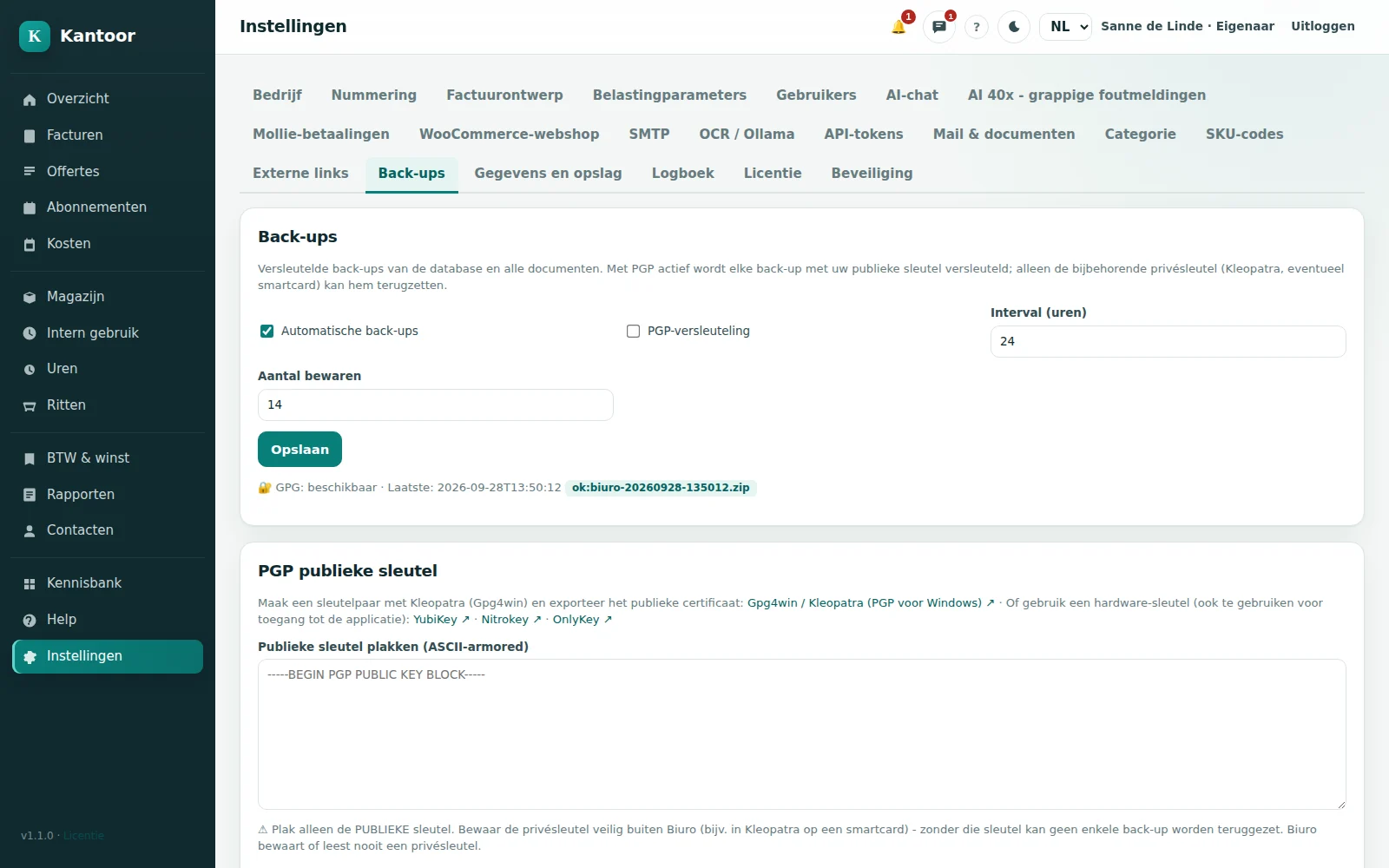
  • Backups always GPG-encrypted with your key
  • Two-factor authentication and passkeys
  • Leaving? You take everything with you
Installing Kantoor
  1. Accepting the licence
  2. Checking your computer
  3. Unpacking files
  4. Installing the service
  5. Starting Kantoor

Done! Open http://localhost:8740

Windows

Windows 10/11 and Server. Setup.exe in NL, EN or PL checks your computer and installs what is missing.

Linux

Debian 12+ and Ubuntu 22.04+. Install script with systemd.

Docker

One container. Also on a NAS with Docker.

Proxmox LXC

A light LXC container, created with one script.

Rather not install anything?

Choose the subscription: we install, host and update, and make an encrypted backup every week.

  1. 1Install or let us hostWindows service, Debian/Ubuntu or Docker. Choose the subscription and we handle the installation.
  2. 2Run the wizardCompany details, numbering and language (NL/EN/PL) in a few minutes.
  3. 3Get to workContact, quote, invoice, payment. VAT and reports grow along automatically.
Backups nobody can read - except youEvery backup is GPG-encrypted with your own key - nobody else can open it.
Do the maths

What does your bookkeeping cost over a few years?

A subscription is paid every month for as long as you use it. Kantoor you buy once. Move the slider and see what that means over several years.

Kantoor as
Amounts
You save up to € 0 amounts excl. VAT
  1. Kantoor € 0
  2. JorttPlus € 0
  3. MoneybirdGroei € 0
  4. RompslompProfessional € 0
  5. e-Boekhouden.nlStandaard + Factureren € 0
  6. SnelStartinKaart € 0
Fixed yearly cost after year 1: €34Only updates, and they are optional. The program keeps working.
Choose your option

How we compare: for each vendor the plan closest to Kantoor (invoicing, bookkeeping, receipt scanning, hours and several users), at the monthly-billing price published on the vendor's own website in september 2026 (see sources). Annual discounts, temporary offers and any extra costs are not included; with annual billing the amounts are lower. Prices may change - check the current rates with the vendor. Kantoor is not affiliated with these vendors; brand names belong to their owners.

PRICING

One-off or subscription - your choice

Pay once or a fixed amount per month. You choose what suits you.

One-off - self-hosted

€99
one-off Includes 1 year of updates
  • Install on your own server or PC
  • 1 year of updates included
  • Backups you manage
  • Need help? Hourly support available
Buy one-off

excl. VAT: €81.82

Fully managed

We host everything

€13.99
per month = €167.88 a year
  • We install and host
  • Updates and maintenance included
  • Backup once a week
  • You can download your own backups
Choose subscription

excl. VAT: €11.56

All prices include VAT.

Free trial

Try it first? 14 days free on Windows.

Get in touch and we send you the trial version for Windows. Without a licence Kantoor runs for 14 days as DEMO COMPANY B.V. - with every function, so you can take your time to see whether it suits you.

  • 14 days, every function
  • On your own Windows PC
  • Then you pick an option yourself
Request the trial version

Help and extra services

Rather have a hand? This is what we do for you - at a fixed price or by the hour. You only pay for the time we actually need.

Hourly support €55per hour Request support
See all services (6)
  • Remote installationWe install Kantoor on your PC, server, NAS or Proxmox and switch on the encrypted backup. Usually done within an hour.
    €55one-off
    Request
  • Setting up your booksCompany details, numbering, invoice design, e-mail and VAT settings - we go through them together.
    €55per hour
    Request
  • Moving your dataCustomers, articles and open invoices moved over from your old package (CSV or Excel).
    from€55
    Request
  • Connecting your webshopInstalling the WooCommerce plugin, testing the connection and lining up the stock.
    €55one-off
    Request
  • Network and securityFirewall, a secure tunnel to the outside and the backups set up properly.
    €55per hour
    Request
  • Remote trainingAn hour together through invoices, costs and the VAT return - with your own data.
    €55per hour
    Request

All amounts include VAT. Remote work; on site by arrangement.

What is in each option?

What is in each option?One-offOne-off + updatesSubscription
Updates1 year includedContinuousIncluded
SupportHourly helpHourly helpE-mail, 1 working day
HostingYourselfYourselfWe handle it
Backup (GPG-encrypted)Yourself, with your own keyYourself, with your own keyWeekly + download yourself

What do you need? Windows 10/11 or Server, Debian 12+/Ubuntu 22.04+, or Docker. The installer handles Python and the service; the application runs on port 8740.

FREQUENTLY ASKED QUESTIONS

Answers to the questions we hear most

Where does my data live?

On your own server or ours (subscription). OCR and AI run locally; your administration never goes to a cloud service.

Do I need to understand bookkeeping?

No. Kantoor uses plain language: Costs, Invoices, Stock, VAT this quarter.

Does it work with my webshop?

Yes, through the WooCommerce link. Orders become draft invoices; stock stays correct.

Can I use my own logo?

Yes, in the invoice design settings.

How much time does Kantoor save me?

Most of the work is retyping and searching. Kantoor reads receipts itself, fills in boxes and totals and tracks your stock - that saves hours every month.

What if I stop?

You keep your data: exports and backups are yours.

More questions (9)
Can my accountant take a look?

Yes, with an account of their own and the accountant role: they see your invoices, book costs, do the VAT return and manage the tax settings. Your quotes, share links and the other settings stay out of sight.

What do I need for self-hosting?

Windows 10/11 or Server, Debian 12+/Ubuntu 22.04+, Docker or a Proxmox container (LXC).

Why is Kantoor so much cheaper than online packages?

Because Kantoor runs on your own computer, we do not have to run servers for you. That lets us charge a one-off price; updates are optional. Keep in mind that you then provide the computer or server yourself - or choose the subscription and we host it.

Does Kantoor keep working if I stop buying updates?

Yes. Your licence stays valid and the program keeps working. You only miss new features and changes for new rules.

Does the AI send my figures to the internet?

No. The model runs locally. Only when you tick 'internet' does the assistant search the web - and IBANs, e-mail addresses, VAT numbers and amounts are stripped from your question first.

Do I need technical knowledge to install it?

No. On Windows it is a Setup.exe in Dutch, English or Polish: it checks your computer and installs what is missing, each time after you agree. If you really do not want to deal with it, choose the subscription or let us install it: that is usually done within an hour. The prices are under Help and extra services.

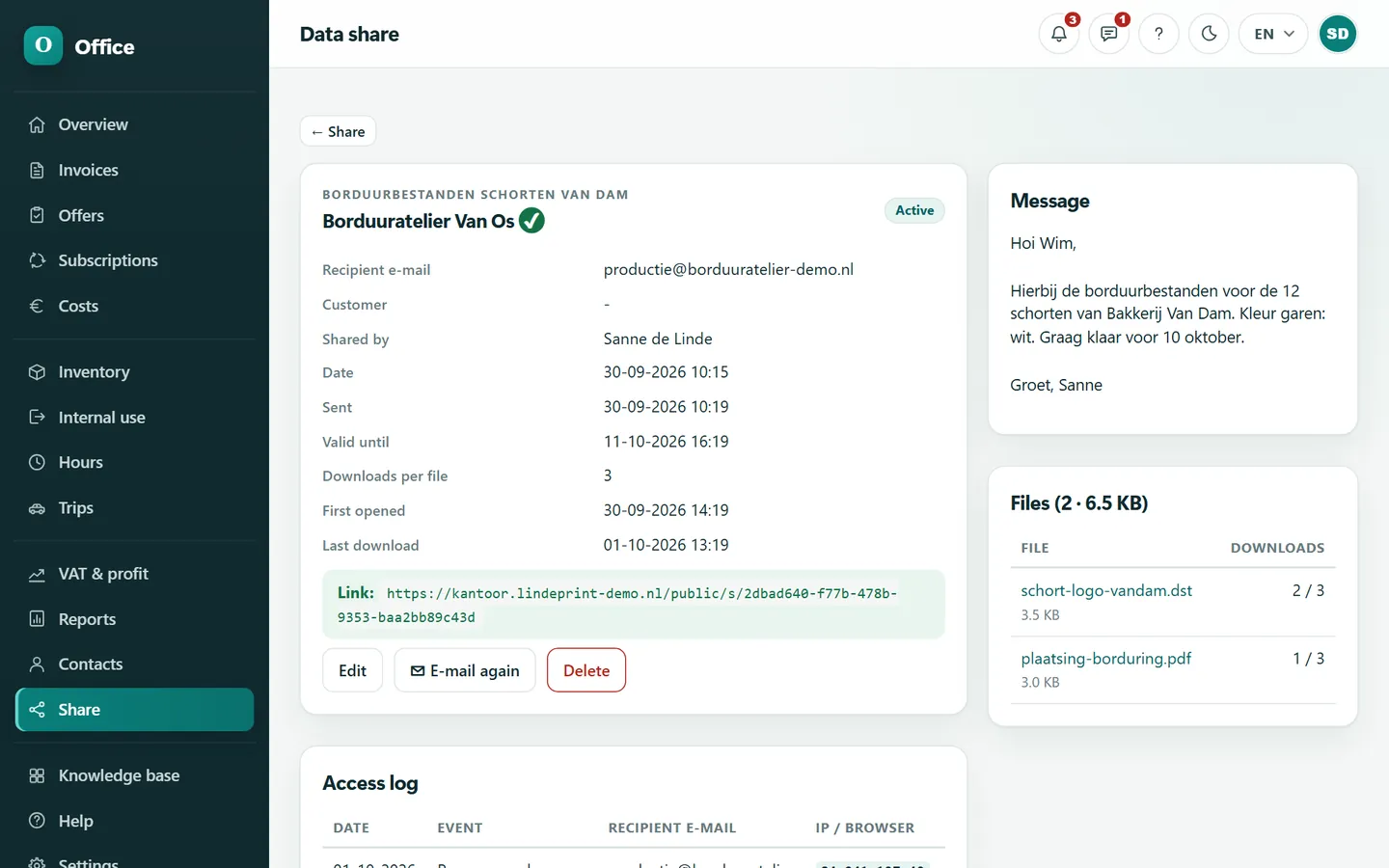
Can I share files safely with customers and suppliers?

Yes. Share creates a link with an expiry date and a download limit. The recipient opens it with a one-time code sent to their e-mail address, and the access log shows you who downloaded what, and when. Customers can also exchange files with you through their customer portal.

Which languages does Kantoor speak?

The app itself in Dutch, English and Polish - every user picks their own language. Per customer you choose the language of the e-mails and the customer portal (NL, EN or PL); invoices and quotes are made in Dutch or English.

Can I try Kantoor first?

Yes, free for 14 days on Windows. Get in touch and we send you the trial version. Without a licence Kantoor runs as DEMO COMPANY B.V. with every function, so you can take your time to see whether it suits you. Then you pick one of the options under Pricing.

Still paying for your bookkeeping every month?

€99 once. Your books on your own computer. Sorted tonight.

CONTACT

Send us a message

Questions about Kantoor, support or an invoice? We reply within two working days.

Quick check that you are human *
Type the three digits in the picture.

Look at the picture for a moment: the digits stand still while the noise flickers. A screenshot shows only loose pieces, so robots struggle. Not working? Just e-mail us at info@3d-evo.nl

Preparing the security check...

€99 onceincl. VAT and 1 year of updates See pricing